A SMALL TOOL FOR WINDOWS
Hit F9.
Keep the
moment.
For the play worth keeping. The thing worth showing. The quick “here’s how.” Capture your screen and get on with it.
Download for WindowsWindows 10 / 11 · 64-bit Installer via Google Drive
LESS SETUP. MORE DOING.
From “watch this”
to “here you go.”
- 01 / CAPTURE
Your screen. One key.
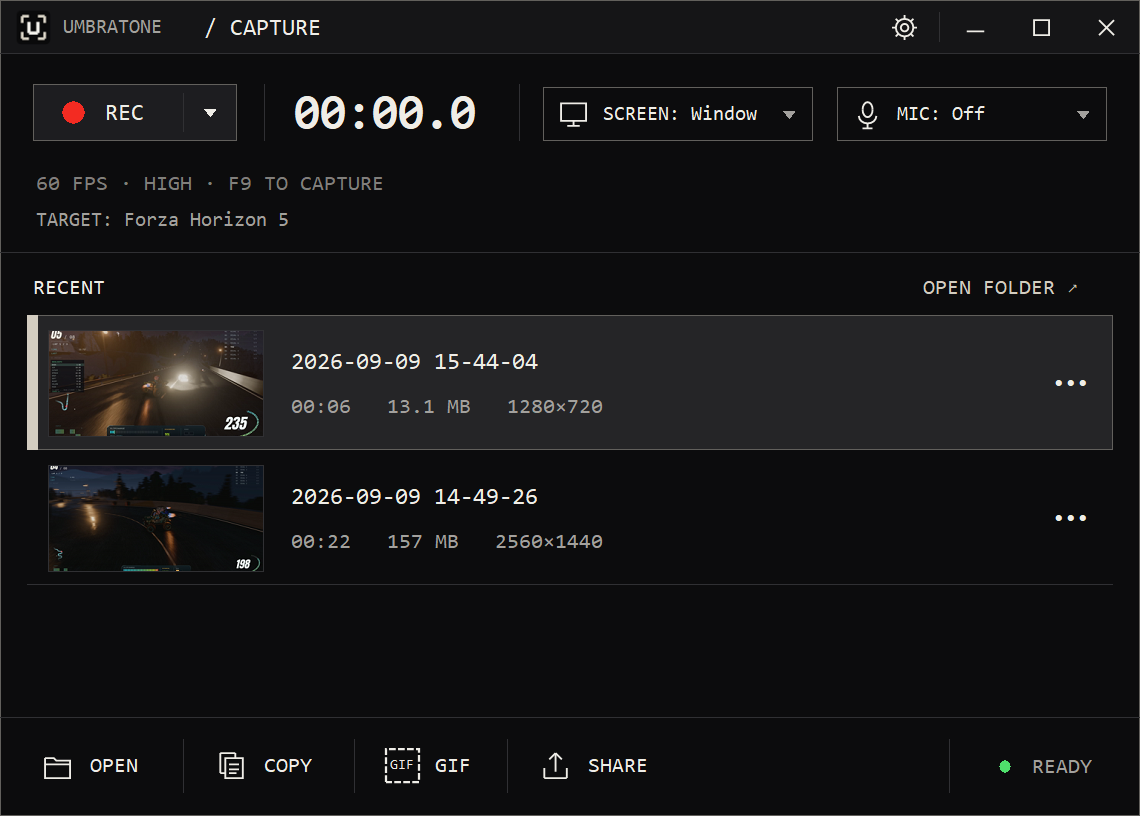
Choose a window area or a full monitor. See your target by name, then press F9 to start and stop. Add system sound and your microphone when you need them.
- 02 / KEEP
Find the good bit.
Your recordings land in a compact list with thumbnails and durations. Open a clip, rename it, or trim it to the time range you want.
- 03 / SEND
Ready for wherever.
Copy the file, make a GIF, or export an MP4 for Discord, YouTube or X. The file stays yours; you choose where to send it.
MP4GIFDISCORD
PURPOSE-BUILT, NOT OVERBUILT.
Small by design.
Ready to record.
No timeline to learn.
No account to make.
No cloud between you and your clip.
Capture is a compiled native Windows app. No browser engine or Python runtime. The installer includes its media tools, so there’s nothing extra to set up.
A few useful detailsBEFORE YOU HIT RECORD
Good to know.
What can I capture?
A visible window area or a full monitor. The target label shows what you’re about to capture. Window mode records desktop pixels within the window’s bounds, so overlapping windows can appear. Keep the target in place and visible while recording. Protected content may not record.
Does it upload my recordings?
No. Recordings and exports stay on your computer. The Share menu prepares local files; it does not upload them. You can copy or send them using your own apps.
Do I need to install anything else?
No separate media tools or runtimes. The Windows installer includes FFmpeg and FFprobe. You need a 64-bit PC running Windows 10 or 11. Capture currently supports monitors connected to the primary GPU.
Is this a preview release?
Yes. This is an unsigned development preview, distributed through Google Drive. It isn’t on the Microsoft Store yet. Windows may show an unrecognized-publisher notice. Only install it if you trust the source.
Can I use light mode?
Yes. Capture follows your Windows appearance by default. You can also choose Light or Dark from the gear menu.
READY WHEN YOU ARE.
Keep that moment.
Windows 10 / 11 · 64-bit · Preview